

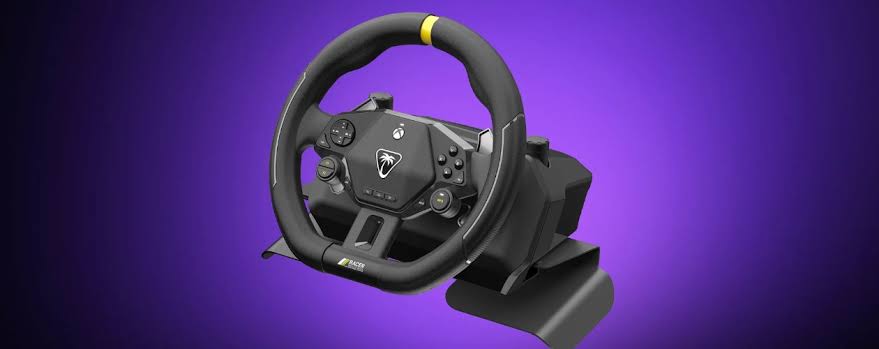
There is something special about getting behind the wheel in a racing game. Whether you’re tearing through the streets of Forza Horizon, chasing the perfect lap in Forza Motorsport or battling for position in a touring car championship, a steering wheel can add another layer of enjoyment to the experience. The trouble is that proper racing wheels can be expensive, take up valuable space and require a fair amount of commitment before you’ve even reached the starting grid.
That is where the Turtle Beach Racer Wireless Racing Wheel comes in. Rather than attempting to compete with the more elaborate racing setups aimed at dedicated simulation enthusiasts, Turtle Beach has taken a different approach. This is a compact, wireless racing wheel designed to make driving games more accessible, without demanding that you turn your living room into a permanent motorsport workshop.
With a choice of tabletop mounting or a lap-based setup, integrated controls instead of traditional foot pedals, and wireless connectivity for Xbox, it certainly offers something different. But does simplifying the racing wheel experience make it a worthwhile addition to your Xbox setup, or are there too many compromises under the bonnet?
A Different Approach to Racing
The first thing to understand about the Racer Wireless Racing Wheel is that it isn’t trying to replicate a full racing simulator. Instead, Turtle Beach has designed a product for players who fancy the added immersion of a steering wheel but don’t necessarily want to spend hundreds of pounds on a wheel, pedals and a dedicated stand.
That distinction matters because it shapes almost everything about the experience. There are no separate foot pedals, no complicated mounting system and no need to find a permanent home for a bulky racing rig. You can get the wheel ready for a session, enjoy a few races and then put it away when you’re finished.
For anyone who enjoys racing games but shares their gaming space with family, that convenience is a major selling point. Not everyone has a spare room for a simulator, and not everyone wants to spend an evening rearranging furniture just to enjoy a few laps.
The Racer Wireless Racing Wheel offers a more approachable alternative. It is a racing accessory built around convenience, and that makes it particularly appealing to casual racers, younger players and anyone curious about moving beyond a traditional Xbox controller.
Design and Build Quality
Turtle Beach has kept the design relatively straightforward, with a predominantly black finish, rubberised grip sections and a bright yellow accent that gives the wheel a little personality. It isn’t the sort of peripheral that will dominate your gaming space, but it looks suitably purposeful and feels more substantial than its compact design might suggest.
The wheel has a soft-touch finish that helps make it comfortable to hold, while the rubberised sections provide additional grip during longer sessions. That is important when you’re negotiating a tight corner or making quick steering adjustments during a hectic race. You want the wheel to feel secure in your hands, rather than something you are constantly having to reposition.
Its weight also works in its favour. Although this is designed to be portable, it doesn’t feel like an insubstantial toy. The construction gives it a reassuring presence, while the relatively compact footprint means it is easy to move around and store when it isn’t being used.
Of course, expectations need to remain realistic. This is a plastic-bodied accessory rather than a premium simulator wheel constructed around a substantial metal chassis. Nevertheless, the overall design makes sense for the price and intended audience.
The biggest achievement is that Turtle Beach has created something that feels like a dedicated racing peripheral without introducing the usual collection of cables, clamps and accessories that can make conventional wheels inconvenient.
Lap-Based Racing or Tabletop Mounting?
One of the Racer Wireless Racing Wheel’s most interesting features is its flexibility when it comes to positioning.
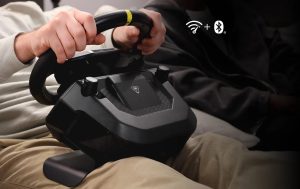
Traditional wheels generally expect you to have a suitable desk, table or racing stand. The Racer gives you another option, with metal lap attachments that allow the wheel to rest across your legs. Rubberised surfaces help keep the attachments in place, while the weight of the main unit provides additional stability.
For sofa-based Xbox gaming, this is a genuinely appealing idea. You can settle into your usual gaming position, bring the wheel into place and get racing without having to construct a dedicated setup around it.
It also means the wheel can be used in a more relaxed environment. Not every racing session needs to feel like a competitive esports event, and the ability to play comfortably from the sofa fits the more casual nature of this product.
That said, the lap arrangement won’t suit absolutely everyone. Comfort and stability will depend on your seating position and body shape, and the attachments may feel less accommodating for some adults during longer sessions. It is worth considering how you normally sit when gaming before deciding whether this arrangement will work for you.
If you’d prefer something more traditional, the built-in clamps allow the wheel to be secured to a suitable desk or table. The tightening mechanisms are straightforward, making it relatively simple to move between setups.
Neither option transforms the Racer into a full simulator, but having both available gives it a welcome degree of flexibility. Just remember that the surface you use needs to be suitable for the clamps, and you’ll want to check that everything is secure before starting a race.
Where Are the Pedals?
This is where the Racer Wireless Racing Wheel takes a decidedly different turn.
Rather than supplying a separate pedal unit, Turtle Beach has integrated acceleration and braking into paddles on the wheel itself. The idea is to keep everything within reach, allowing you to control your car without needing to position your feet or find space for additional hardware.
It certainly makes the setup simpler. There is no pedal assembly to connect, no floor space to clear and no risk of a pedal unit sliding away during an enthusiastic race. For someone playing from the sofa, that is a sensible design decision.
However, it also changes the way you drive.
Players accustomed to conventional racing wheels will need to adjust to controlling acceleration and braking with their hands. The paddles are convenient, but they don’t offer the same separation between steering and pedal inputs that a traditional setup provides. During tight corners, particularly when you need to brake while making steering adjustments, coordinating everything can take some getting used to.
There is also less scope for developing the sort of footwork that makes a dedicated pedal set appealing to simulation fans.
For casual racing, though, the arrangement is perfectly understandable. The Racer is designed to reduce barriers rather than reproduce every element of driving a real car. Once you accept that distinction, the integrated controls become easier to appreciate.
It is a compromise, certainly, but one that serves the product’s overall purpose.
Getting Behind the Wheel on Xbox
For Xbox players, the familiar button layout should help make the transition from controller to wheel less daunting. The Racer incorporates the sort of controls you’d expect from an Xbox-compatible peripheral, keeping important inputs close at hand.
There are also two mappable quick-action buttons, offering some additional flexibility for functions you want to access quickly. Depending on the game and your preferred control arrangement, these can be useful additions.
The wheel provides up to 360 degrees of rotation, giving you a more physical steering experience than simply moving a thumbstick. Turning the wheel feels natural enough for the more accessible racing experience Turtle Beach is targeting, and it can make driving games feel more involving.
However, this isn’t a force-feedback wheel. You shouldn’t expect the steering to push back against your hands as you lose grip, hit a kerb or load up the suspension through a corner. That absence is one of the biggest differences between the Racer and more expensive racing wheels.
Force feedback is a major part of the appeal of a dedicated simulator setup, providing information about what the car is doing through the steering mechanism. Without it, the Racer offers a more straightforward, less physically communicative experience.
That doesn’t make it pointless. Steering with a wheel can still be enjoyable, and the Racer provides a different way to interact with your favourite games. But anyone expecting the sensations and feedback of a premium racing wheel needs to adjust their expectations before buying.
Compatibility is another consideration. The Racer offers a Controller Mode intended to broaden its usefulness with games that don’t natively support conventional steering wheels. That is a clever addition, although it doesn’t guarantee that every Xbox driving game will work perfectly with every feature. Checking Turtle Beach’s compatibility information for the games you intend to play is advisable.
Wireless Freedom and Battery Life
The word wireless is doing plenty of work in this product’s name, and rightly so.
One of the frustrations with traditional racing wheels is the collection of cables that can accompany them. Between power, console connections and pedals, a setup can quickly become untidy. Turtle Beach’s wireless approach helps keep things simpler and makes the Racer easier to move between gaming positions.
The advertised battery life of up to 30 hours should also provide plenty of use between charges, depending on how you play and your settings. That is a welcome advantage for a peripheral designed around convenience. You don’t want to be constantly reaching for a charging cable when you’re halfway through a championship.
The wheel can also be charged through USB, giving you an option when the battery eventually needs attention. Its broader connectivity options make it useful beyond Xbox, although the precise connection method depends on the platform. For Xbox use, make sure you follow the supplied instructions for the supported wireless connection.
Wireless convenience is not the same as a guarantee of perfect performance in every situation, of course. As with any wireless peripheral, your environment and setup can play a part. Nevertheless, removing the need for a traditional wired racing-wheel arrangement is one of the Racer’s strongest selling points.
Customisation and Everyday Use
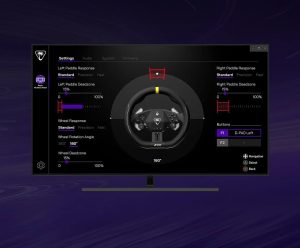
Turtle Beach also offers its Control Centre 2 companion software, which provides options for adjusting aspects of the wheel’s behaviour and calibrating its controls. This gives users a little more room to tailor the experience rather than simply accepting the default configuration.
For players who like to fine-tune their peripherals, that is a useful extra. A wheel that feels too sensitive or whose controls don’t quite suit your preferred driving style can benefit from a little adjustment.
The 3.5mm headset connection is another practical inclusion, helping keep the setup familiar for players who prefer to connect a compatible wired headset directly to their controller-style peripheral. The onboard controls also help reduce the need to reach elsewhere while racing.
Taken together, these features reinforce the Racer’s focus on keeping things contained within one device. It isn’t the most elaborate racing system around, but it has been designed to make the essential functions easy to reach.
Is It Worth the Money?
At around £139.99 at launch, the Turtle Beach Racer Wireless Racing Wheel occupies an interesting position. It is a significant purchase for anyone who normally plays with a standard controller, but it sits below many more elaborate racing-wheel setups that require additional equipment.
Its value depends heavily on what you want from it.
If you are a casual racer who wants a more hands-on way to enjoy driving games, the combination of wireless operation, flexible mounting and integrated controls makes a convincing case. You get the steering-wheel experience without needing to invest in pedals, a stand or a dedicated gaming space.
It could also make an appealing introduction to wheel-based racing for younger players or families looking for something a little different. Its simplicity makes it less intimidating than a traditional simulator setup, and it is easier to put away when gaming time is over.
However, if you already own a decent racing wheel with separate pedals and force feedback, the Racer is unlikely to feel like an upgrade. Its appeal is convenience, not realism. The lack of force feedback and traditional pedals are fundamental limitations rather than minor omissions.
That makes the price easier to justify for the right audience, but harder to recommend to anyone who wants the most immersive driving experience possible.
Pros
- Wireless design keeps the setup tidy.
- Flexible lap-based and tabletop mounting options.
- Comfortable, soft-touch grips.
- Integrated acceleration and braking paddles remove the need for separate pedals.
- Familiar Xbox-style controls and two mappable buttons.
- Up to 30 hours of advertised battery life.
- Controller Mode can broaden compatibility with supported games.
Cons
- No force feedback.
- No separate foot pedals.
- Hand-operated acceleration and braking take some adjustment.
- Lap attachments may not suit every player.
- Compatibility and control support can vary between games.
- Serious simulation fans will likely want a more advanced setup.
Final Thoughts
The Turtle Beach Racer Wireless Racing Wheel knows exactly what it wants to be, and that is its greatest strength. It isn’t trying to replace a premium racing simulator, nor does it have the features required to satisfy players who demand force feedback, dedicated pedals and the most authentic driving experience possible.
Instead, it makes wheel-based racing more convenient. The wireless design, choice of mounting options and integrated controls remove several of the usual obstacles that can put people off buying a racing wheel in the first place. For Xbox players who want to enjoy their favourite driving games from the sofa or a simple tabletop setup, that approach has genuine appeal.
The compromises are impossible to ignore, particularly the lack of force feedback and separate pedals. Those omissions mean the Racer cannot deliver the depth or physical feedback of a more serious racing setup. At its price, buyers should think carefully about whether convenience matters more to them than realism.
Our verdict: the Turtle Beach Racer Wireless Racing Wheel is a good choice for casual Xbox racers and newcomers who want a straightforward, space-saving alternative to a traditional wheel. It is less convincing for experienced sim racers, who should look towards a more capable setup.
If you’ve been tempted by a racing wheel but have been put off by the cables, the clutter and the expense of building a full rig, Turtle Beach has delivered an appealing alternative. Just don’t mistake it for a simulator powerhouse. This is about making racing easier to enjoy, and judged on those terms, the Racer crosses the finish line in respectable fashion. Buy Directly From Turtle Beach