

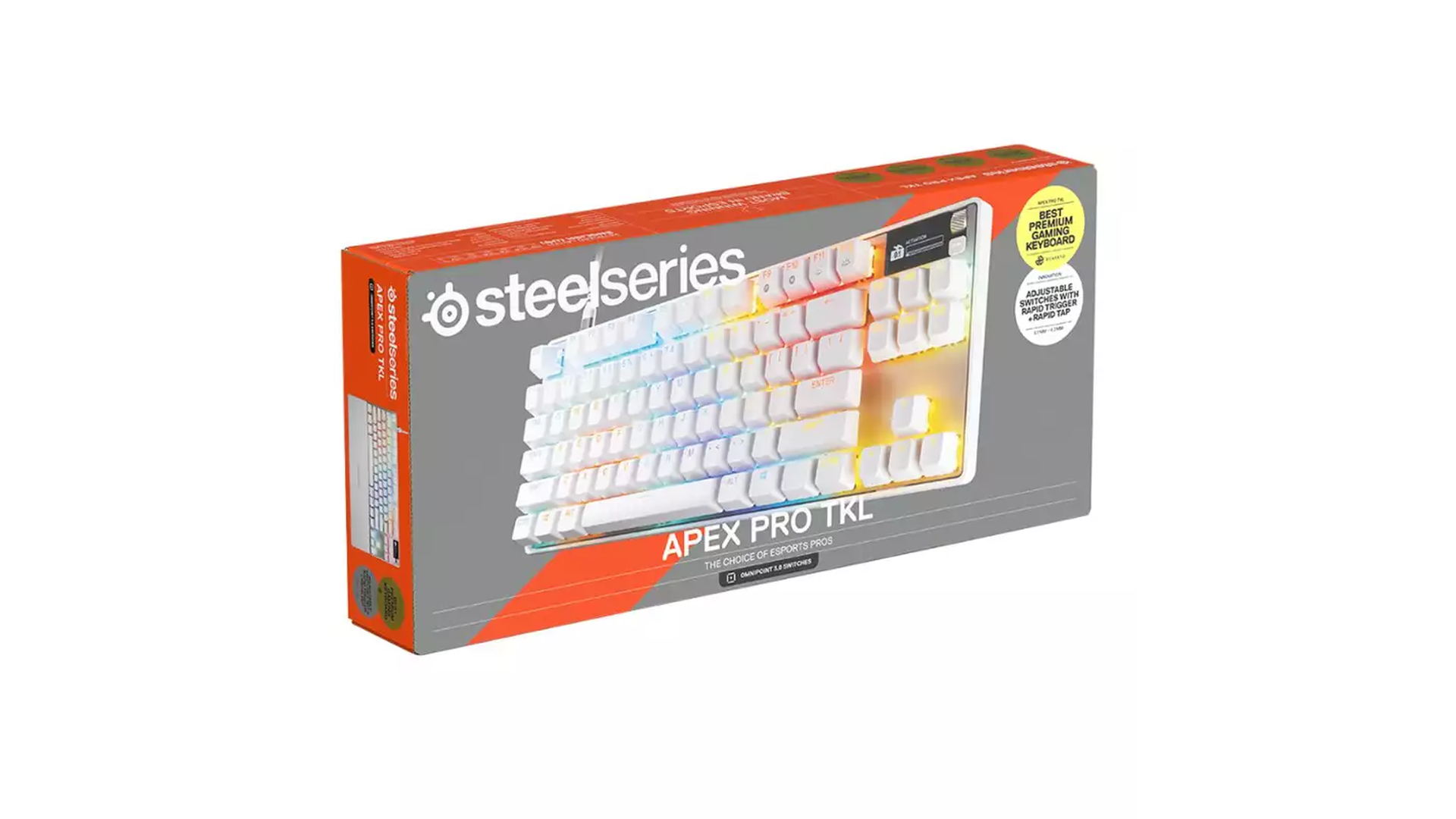
A premium gaming keyboard that combines exceptional comfort, robust construction and clever technology to deliver a brilliant experience for gamers.
When it comes to gaming peripherals, it’s easy to overlook the humble keyboard. After all, it’s something many PC gamers use every single day, and once you’ve found one that does the job, you might not give it much further thought. However, spend some time with a keyboard like the SteelSeries Apex Pro TKL Gen 3 White, and you’ll quickly discover that there’s a lot more to this essential piece of equipment than simply pressing keys and hoping for the best.
SteelSeries has built a reputation for producing gaming accessories that combine thoughtful design with performance-focused technology, and the Apex Pro TKL Gen 3 is an excellent example of that approach. Featuring adjustable magnetic switches, Rapid Trigger functionality, an OLED display and a gorgeous white finish, this is a keyboard that clearly has serious gamers in mind.
I’ve had hands-on time with the Apex Pro TKL Gen 3 White, and my immediate impression was just how brilliant it feels to use. It’s solid, robust and extremely comfortable, with a premium feel that makes a terrific first impression. Those qualities might sound straightforward, but they’re precisely what you want from a gaming keyboard, particularly when you’re settling in for an extended session.
Of course, there’s plenty of technology beneath that attractive exterior, so let’s take a closer look at what makes this keyboard such an impressive addition to a gaming setup.
A Design That Means Business
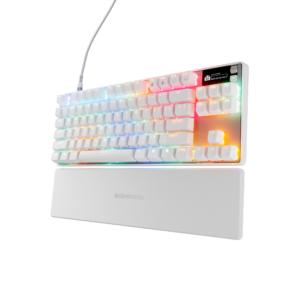
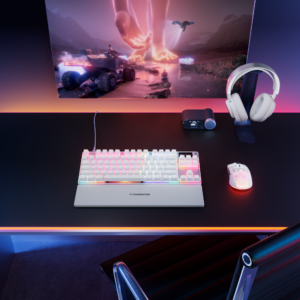
The first thing you’ll notice about the Apex Pro TKL Gen 3 White is its appearance. Gaming equipment can sometimes lean towards an unnecessarily aggressive aesthetic, but SteelSeries has taken a more considered approach here. The white finish looks clean and modern, giving the keyboard a premium appearance that works beautifully in a dedicated gaming space.
It’s also a particularly good choice if you’ve invested time in creating a coordinated setup. The white body provides an excellent backdrop for the RGB lighting, allowing the colours to stand out without making the keyboard look overly busy. Whether you prefer subtle illumination or a more colourful gaming environment, there’s plenty of opportunity to personalise its appearance.
The tenkeyless, or TKL, layout is another important part of the design. By removing the dedicated number pad, SteelSeries has created a more compact keyboard that takes up less space on your desk.
That might not sound particularly exciting, but it can make a noticeable difference when you’re gaming. Having more room for your mouse is especially useful in fast-paced shooters, where broad movements and quick adjustments are part of the experience. It also makes the keyboard easier to accommodate on smaller desks without sacrificing the main keys and functions most players use regularly.
The physical construction is where the Apex Pro really begins to justify its premium positioning. Having used it myself, I was particularly impressed by how solid and robust it feels. There’s a reassuring sturdiness to the keyboard that inspires confidence, and it feels like a product designed to handle the demands of regular gaming rather than something that simply looks good in photographs.
It’s an excellent foundation for a keyboard that wants to be taken seriously.
Comfort Is King
One of the biggest positives for me is just how comfortable the Apex Pro TKL Gen 3 White is to use.
We can talk about switches, actuation distances and response times all day long, but there’s a fundamental requirement that every gaming keyboard needs to meet: it has to feel right beneath your hands. After all, this is a peripheral you’ll potentially use for hours at a time, whether you’re competing online, exploring a sprawling adventure or simply getting through your everyday computer tasks.
Thankfully, the Apex Pro makes a brilliant impression in this department.
The keyboard feels comfortable and reassuring during use, while its compact layout provides a practical arrangement that suits a gaming-focused desk. Combined with the solid construction, it creates an experience that feels properly premium rather than relying on flashy features to make an impression.
I found it genuinely enjoyable to use, and that’s an important part of my overall appreciation for the keyboard. It isn’t simply a case of admiring its appearance or being impressed by the technology listed on the box. The experience of actually sitting down and using it is where the product really comes into its own.
The PBT keycaps also contribute to its appeal, providing durable key surfaces designed to withstand regular use. Meanwhile, the keyboard’s internal construction incorporates refinements intended to improve the typing experience and control unwanted vibration.
Naturally, everyone has their own preferences when it comes to key feel and typing sound. However, the overall impression here is of a thoughtfully constructed keyboard that balances gaming functionality with everyday usability.
For me, the combination of comfort and build quality is one of the strongest reasons to consider the Apex Pro. It feels like a serious piece of gaming equipment, and that feeling carries through to the experience of using it.
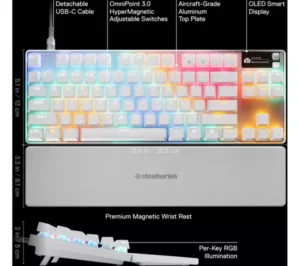
OmniPoint 3.0: Putting You in Control
Of course, SteelSeries hasn’t relied on an attractive design and comfortable construction alone. The real technological star of the Apex Pro TKL Gen 3 is its OmniPoint 3.0 adjustable magnetic switches.
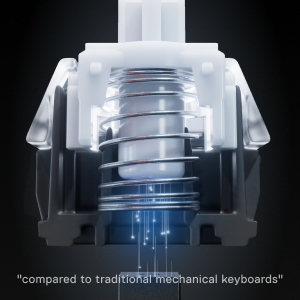
Traditional mechanical keyboards generally register a keypress at a fixed point in the switch’s movement. The Apex Pro takes a different approach, using magnetic sensing technology to allow the actuation point to be adjusted.
In simple terms, you can decide how far a key needs to travel before the keyboard registers your input.
The actuation distance can be configured between 0.1mm and 4.0mm, offering plenty of flexibility to suit different games and personal preferences.
Why does this matter? Well, imagine you’re playing a competitive first-person shooter. Quick movement and rapid directional changes can be essential, so having movement keys that register with minimal travel could prove beneficial. Setting the actuation point closer to the top of the key’s movement allows you to trigger inputs with a very light press.
On the other hand, you might prefer a deeper actuation point for certain keys, particularly if you tend to rest your fingers on the keyboard or occasionally press neighbouring keys by mistake. Requiring a more deliberate press can help reduce unwanted inputs.
The real beauty of this system is that you’re not restricted to one setting for everything. You can tailor the keyboard to suit your playing style, creating a configuration that feels appropriate for the games you enjoy.
It’s an impressive level of control, although it’s worth remembering that greater sensitivity isn’t automatically better. Setting everything to its most responsive level could actually make your gaming experience less comfortable if you find yourself triggering keys unintentionally.
The trick is to experiment and find the balance that works for you.
Rapid Trigger and Rapid Tap
Adjustable actuation is impressive in its own right, but SteelSeries has gone further with features designed to make the most of its magnetic switches.
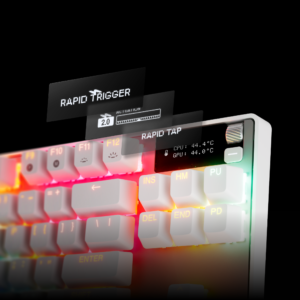
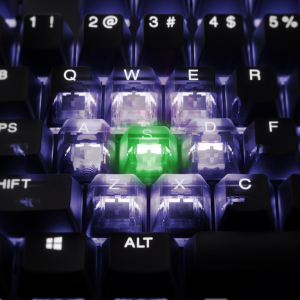
Rapid Trigger allows supported keys to reset dynamically as you release them, rather than relying on a fixed reset point. This can be particularly useful in competitive games where you’re repeatedly pressing and releasing movement keys.
Think about how often you might need to change direction quickly during an intense multiplayer match. Reducing the amount of key travel required between inputs can make the keyboard feel more responsive, potentially helping you execute those movements more efficiently.
Rapid Tap takes things further by prioritising the latest press among configured keys. This is particularly relevant to players who rely on rapid directional changes and precise movement techniques.
Protection Mode is another useful addition, helping reduce accidental presses on surrounding keys by adjusting their sensitivity relative to the key you’re deliberately using.
Together, these features demonstrate that SteelSeries has considered more than just raw speed. Responsiveness is important, but accuracy matters too. There’s little benefit in having a keyboard that registers everything instantly if you’re constantly triggering inputs you never intended to make.
These features will appeal most to players who enjoy competitive gaming and want to fine-tune their controls. If you’re primarily interested in slower-paced adventures or casual games, you might never need to explore every option.
Nevertheless, having the flexibility available is a genuine advantage, particularly for a keyboard in this price category.
Customisation and the OLED Display
With so many features available, customisation is an important part of the Apex Pro experience.
SteelSeries GG provides access to the keyboard’s deeper settings, allowing you to configure actuation distances, supported Rapid Trigger features, lighting and other options. You can also create different profiles for different games, making it easier to switch between configurations rather than constantly adjusting individual settings.
For competitive players, this flexibility can be particularly appealing. A configuration that feels right for one game might not suit another, and being able to tailor your keyboard accordingly gives you greater control over your setup.
However, there’s a learning curve. If you’re accustomed to plugging in a keyboard and immediately getting on with your day, the range of options might initially feel overwhelming.
My advice would be to start with the basics, experiment with a few settings and gradually discover which features genuinely improve your experience. There’s no need to change everything at once.
The OLED Smart Display is another welcome addition. It provides a convenient way to view information and access supported controls directly on the keyboard, reducing the need to open software every time you want to make an adjustment.
It’s not an essential feature, but it adds to the premium experience and makes sense on a keyboard that offers so much customisation.
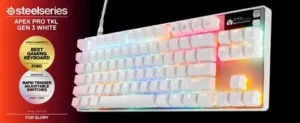
Then there’s the RGB lighting. With per-key illumination, you can create a look that suits your setup, from understated colours to a more vibrant display. Compatible SteelSeries equipment can also be coordinated through the manufacturer’s lighting ecosystem.
It’s a lovely finishing touch, particularly against the white finish, and gives you another way to make the keyboard your own.
PC Gaming: Where It Shines
The Apex Pro TKL Gen 3 White is primarily designed with PC gamers in mind, and that’s where its most advanced features make the greatest sense.
The combination of adjustable actuation, Rapid Trigger and extensive customisation gives competitive players the opportunity to tailor their inputs to specific games. If you’re spending your evenings in fast-paced shooters, competitive multiplayer titles or games that reward precise movement, those options could be particularly attractive.
It’s important to keep expectations realistic, though. A premium keyboard won’t suddenly transform an inexperienced player into an esports champion. Your own ability, game knowledge and decision-making remain far more important than the equipment sitting on your desk.
What the Apex Pro offers is greater control over the way your keyboard responds. For players who appreciate fine-tuning their equipment, that can be a meaningful advantage.
Its comfortable feel and robust construction also help make it a good fit for everyday computer use. You’re not restricted to using it exclusively for gaming, and the compact layout makes it an attractive option for anyone who wants to maximise available desk space.
Whether you’re playing, working or chatting with friends, it’s a keyboard that feels capable of handling a variety of tasks.
What About Xbox and Console Gaming?
As a CompleteXbox review, we need to consider whether the Apex Pro TKL Gen 3 White makes sense for console players too.
The good news is that a wired USB keyboard can be used with compatible Xbox games and applications that support keyboard input. For players who enjoy using a keyboard at their gaming desk, the Apex Pro offers an attractive, solidly constructed option.
Keyboard input can be particularly useful in supported games where you prefer traditional PC-style controls. It can also make entering text more convenient than relying on an on-screen keyboard.
However, there is an important distinction between basic compatibility and the complete Apex Pro experience.
The keyboard’s advanced configuration features are primarily managed through SteelSeries’ PC software. You shouldn’t assume that every setting, including all actuation adjustments, Rapid Trigger options and game-specific configurations, will be available to configure directly on Xbox.
Stored profiles and onboard controls can be useful, but the precise functionality available depends on the configuration and the platform being used. It’s also worth remembering that not every Xbox game supports keyboard and mouse input.
For players who regularly switch between PC and Xbox, the Apex Pro could make a useful addition to a shared gaming setup. However, if you’re purchasing a keyboard exclusively for console gaming, you should consider whether you’ll benefit from the advanced PC-focused features that form a substantial part of its appeal.
That doesn’t take anything away from the quality of the hardware. It simply means that PC gamers are likely to get the most from everything SteelSeries has packed into this keyboard.
Is It Worth the Investment?
The Apex Pro TKL Gen 3 White occupies the premium end of the gaming keyboard market, so value is an important consideration.
You’re paying for more than an attractive white finish. The adjustable magnetic switches, Rapid Trigger functionality, OLED display and extensive customisation all contribute to a sophisticated package.
For competitive PC gamers who enjoy experimenting with their equipment, these features provide plenty of reasons to consider the investment. The robust construction and excellent comfort also help ensure that the keyboard makes a strong impression beyond its headline specifications.
However, not everyone needs this level of functionality. If you mainly play casual games or simply want a reliable keyboard for everyday use, a less expensive option might offer everything you require.
Xbox players should also weigh up how much use they’ll make of the advanced PC-focused features.
Ultimately, the Apex Pro makes the most sense for gamers who appreciate the finer details and want greater control over their inputs. If that’s you, the keyboard has plenty to offer.
Pros and Cons
Pros
- Beautiful white finish with customisable RGB lighting.
- Solid, robust construction that feels genuinely premium.
- Extremely comfortable to use.
- Compact tenkeyless layout provides additional mouse space.
- Adjustable OmniPoint 3.0 magnetic switches.
- Rapid Trigger and Rapid Tap features for supported gaming scenarios.
- OLED display and extensive customisation options.
- Suitable for compatible Xbox games that support keyboard input.
Cons
- Premium pricing won’t suit every budget.
- Advanced features can take time to configure.
- Much of the deeper customisation is PC-focused.
- Xbox keyboard support varies between games.
- The tenkeyless layout removes the dedicated number pad.
Final Verdict
The SteelSeries Apex Pro TKL Gen 3 White is a brilliant gaming keyboard that combines an attractive design with impressive technology and, most importantly, an excellent hands-on experience.
Having spent time using it, what stands out to me is how solid, robust and comfortable it feels. Those qualities provide a fantastic foundation for the adjustable magnetic switches, Rapid Trigger functionality and customisation options that make this keyboard particularly appealing to serious PC gamers.
The ability to adjust actuation distances and tailor the keyboard to different games is a genuine highlight, while the OLED display and RGB lighting add to the premium experience. It’s also a keyboard that looks fantastic on a desk, with the white finish giving it a clean, modern appearance.
Naturally, the price means it’s not going to be the right choice for everyone, and casual gamers might not benefit from all the advanced features. Xbox players should also remember that basic keyboard compatibility doesn’t guarantee access to every PC-focused function.
Nevertheless, SteelSeries has produced a keyboard that feels as impressive in use as it looks on paper. It combines thoughtful design, excellent comfort and sophisticated gaming technology in a package that feels built for players who want something special.
For PC gamers looking for a premium keyboard that feels fantastic to use and offers plenty of scope for personalisation, the SteelSeries Apex Pro TKL Gen 3 White is an outstanding contender. Buy Directly From SteelSeries